What is Shopify and how does it work for online stores?
What Is Shopify?
Shopify is a cloud-based, fully hosted ecommerce platform that lets businesses of any size build and run an online store without managing servers or writing code. You sign up for a plan, choose a theme, add products, and Shopify handles hosting, checkout, and payment processing in the background. Founded in 2006 and headquartered in Ottawa, Canada, it now supports merchants around the world, from solo sellers to large multinational brands, and is available in nearly every country.
Shopify bundles the pieces a store actually needs into one dashboard: a customizable storefront, payment processing, inventory tracking, shipping, marketing tools, and reporting. You don’t stitch these together from separate vendors. They’re already connected.
Quick Answer
Shopify is a hosted, SaaS ecommerce platform: you pick a plan, such as Basic ($39/month), Grow ($105/month), or Advanced ($399/month), add products through the Shopify Admin, and Shopify manages hosting, security, checkout, and payment processing for you. The same store can sell through your website, Shopify POS in person, and channels like Instagram, TikTok, and Amazon, with inventory and orders syncing automatically across all of them.
How Does Shopify Work? Step by Step
1. Hosting and Setup
When you open a Shopify account, hosting, SSL certificates, and uptime are handled for you. There’s no separate
hosting bill and no server maintenance. Your store starts on a free myshopify.com subdomain, and you can
point a custom domain to it whenever you’re ready to go live under your own brand.
2. Storefront Design
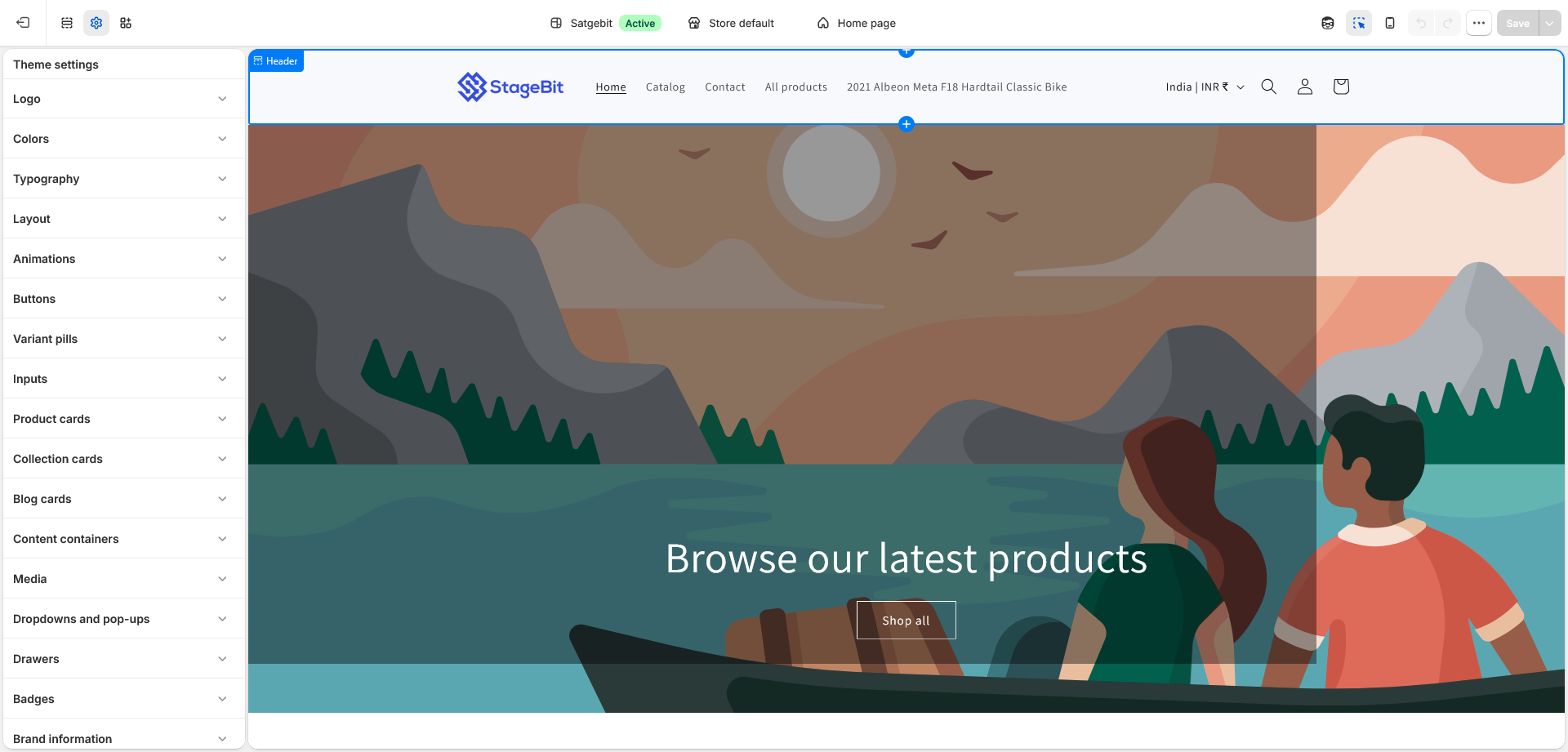
Shopify ships with a library of free and paid themes, all mobile-responsive by default. From there:
- The theme editor lets you rearrange sections, change colors and fonts, and adjust layout without touching code
- Developers can go further with Liquid (Shopify’s templating language), plus HTML, CSS, and JavaScript, for custom sections and functionality
- For teams that want a fully custom front end, Shopify’s Storefront API and its Hydrogen framework support headless setups. The checkout itself still runs on Shopify’s hosted checkout even in a headless build
3. Product and Inventory Management
Everything lives in the Shopify Admin: product titles, images, descriptions, pricing, and SKUs, plus variants like size or color. You can track inventory across multiple locations, set low-stock alerts, and group products into collections for navigation.
4. Payments
Shopify supports several ways to get paid:
- Shopify Payments, Shopify’s own gateway, which avoids the extra transaction fee charged when using an outside processor and supports major cards, Shop Pay, Apple Pay, and Google Pay. It runs on Stripe’s infrastructure behind the scenes, which is why Stripe isn’t offered as a separate, standalone gateway option in countries where Shopify Payments is available.
- Third-party gateways are the alternative in regions or cases where Shopify Payments isn’t available or isn’t used. Examples include Adyen or Razorpay, depending on your country. PayPal is also available, though its fee treatment differs depending on whether Shopify Payments is active alongside it, so check your own settings rather than assuming a flat rate. Using a third-party gateway as your primary processor adds a Shopify transaction fee on top of the gateway’s own charges, which decreases on higher-tier plans (2% on Basic, 1% on Grow, 0.5% on Advanced). [INSERT: confirm current Plus-tier third-party transaction fee, since published sources disagree on whether it’s a flat rate or negotiated/GMV-based]
- Shop Pay Installments, a buy-now-pay-later option powered exclusively by Affirm. It’s live in the United States, Canada, and the United Kingdom, and Shopify and Affirm added Australia in August 2026. Merchants in other markets may have access to separate BNPL apps like Klarna or Afterpay instead.
Shopify states its infrastructure meets PCI DSS Level 1 compliance, the highest tier of card-data security certification. This applies by default to stores built on the platform. [INSERT: confirm current certification wording against Shopify’s own compliance documentation before publishing]
5. Order Management and Fulfillment
Orders land in the Admin in real time. You can fulfill manually, hand off to fulfillment apps, or work with 3PL partners. Shopify Shipping lets you buy discounted labels from carriers like UPS, USPS, and FedEx directly from the dashboard, and customers get automatic status updates by email or SMS.
6. Selling Across Channels
A Shopify store isn’t limited to a website. The same backend can push products to:
- The Shop app
- Shopify POS for physical retail
- Instagram, Facebook, and TikTok shopping
- Third-party marketplaces such as Amazon and Google Shopping, typically through connector apps like Marketplace Connect [INSERT: confirm current marketplace coverage, as supported marketplaces change over time]
Inventory and order data sync across all of these automatically.
7. Marketing and SEO
Built-in tools cover meta titles, descriptions, and URL handles for SEO, plus abandoned cart recovery, discount codes, a blog, and Shopify Email for campaigns. Most stores also connect Google Analytics, Meta Ads, or Klaviyo for deeper marketing work, since the native tools cover the basics rather than everything.
8. Analytics
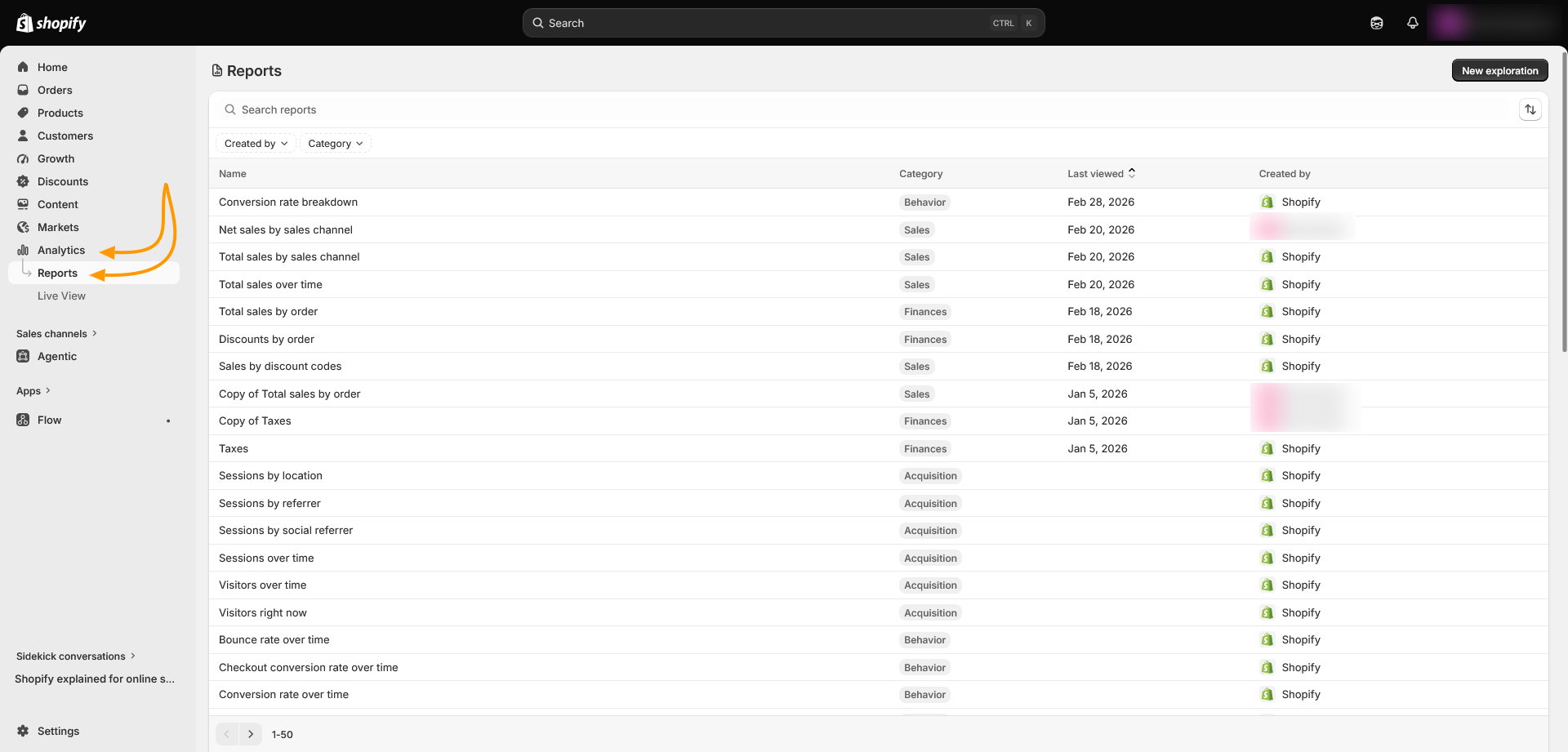
The dashboard reports on sales, order value, conversion rate, traffic sources, and product performance. More detailed and custom reporting is reserved for the higher-tier plans.
9. Apps
The Shopify App Store offers thousands of apps covering reviews, loyalty, subscriptions, accounting, and more. It’s worth auditing your app stack periodically, since each added app can affect page speed.
10. Plans and Pricing
For a full online store, Shopify has four core plans, priced monthly with a discount for paying annually. Current figures are on Shopify’s official pricing page:
- Basic: $39/month ($29/month billed annually). A complete store for new or small businesses, with no staff accounts.
- Grow: $105/month ($79/month billed annually). More staff accounts and a lower processing rate for growing stores. This is the plan that used to just be called “Shopify.”
- Advanced: $399/month ($299/month billed annually). Added reporting and the lowest standard processing rates among the core plans.
- Plus: starts at $2,300/month. Built for high-volume and B2B enterprise operations, with custom pricing.
Annual billing typically saves around 25% over monthly on Basic, Grow, and Advanced. [INSERT: confirm which B2B features are currently available on Basic, Grow, and Advanced versus reserved for Plus, since Shopify has changed this plan-by-plan breakdown more than once and it should not be stated as settled without checking the current plan comparison page]
Separately, Shopify also offers a Starter plan at a much lower price point. It isn’t a full online store: there’s no theme, no collection pages, and no blog. It’s built for selling through a checkout link on social media, messaging apps, or an existing website, and it carries a higher per-transaction fee than the four plans above.
Plan features and rates shift over time. It’s worth talking to our Shopify development team if you’re weighing which plan actually fits your setup.
Want to try Shopify before you pick a plan?
Start a Shopify trial and test the Admin and theme editor yourself, so you can judge the fit with real hands-on use.
Start your Shopify trialThe Practical Takeaway
Pick a plan that matches your current order volume, not where you expect to be in three years. Every core plan runs on the same underlying platform, so moving from Basic to Grow to Advanced as you scale doesn’t mean rebuilding your store. It means unlocking more staff accounts, deeper reporting, and lower processing rates along the way.
Related Answers

Still need help?
Questions about which Shopify plan fits your store?
If you're weighing Basic, Grow, or Advanced against your order volume and where you expect to be in a year, we're happy to walk through what you're building and what actually makes sense.