A Black Friday email goes out at 8am. By 8:20, traffic to the store has tripled. Somewhere, a CTO is refreshing the uptime dashboard instead of eating breakfast. If that scenario sounds familiar, you already know why hosting deserves more attention than most technology roadmaps give it.
For CTOs running Magento or Shopware stores, hosting quietly shapes almost everything else. It decides whether your catalog loads in half a second or five. It decides whether a database query buckles under Black Friday traffic. It even decides whether a misconfigured server becomes the reason customer data ends up in the wrong hands. Treat it as a strategic decision, not something procurement handles once and files away.
This guide walks through what actually matters when hosting Magento or Shopware in 2026: the performance fundamentals, the security non-negotiables, and the cost tradeoffs. Together, these separate a store that scales gracefully from one that falls over on its best sales day. Along the way, we’ll look at how the two platforms differ in their hosting demands, and what that means for you.
TL;DR: What You Need to Know
- Speed is the baseline, not the edge: Fast hosting is now table stakes. Winning stores pair it with strong product discovery, not just raw server speed.
- Managed vs. self-hosted is a team decision: Choose based on your DevOps bandwidth, not on how much control feels reassuring.
- Security failures cost more than years of hosting fees: Backups, patch cadence, and data residency are baseline requirements, not upgrades.
- Cost is about total ownership, not sticker price: Downtime, breaches, and migration risk belong in the real cost comparison.
Your next step: Match your hosting decision to your busiest realistic day, not your average one.
Why Hosting Decisions Carry More Weight Than Most CTOs Assume
At its core, hosting is the combination of servers, storage, networking, and configuration that keeps your store online. For a simple brochure site, this barely matters. For Magento or Shopware, however, the platform’s complexity turns hosting into a performance multiplier, or a bottleneck, depending on how it’s configured.
Magento, now positioned under Adobe Commerce, is resource-intensive by design. It handles complex catalog logic, multi-store setups, and layered caching. All of that demands meaningful CPU, RAM, and I/O throughput. Shopware carries similar weight. Modern versions require PHP 8.2 or higher, a current MySQL or MariaDB engine, and Elasticsearch or OpenSearch for fast filtering. Redis handles session and cart caching on top of that. Skimp on any of these, and you’ll feel it in page load times long before customers say a word.
Hosting that isn’t built for these requirements doesn’t just run slowly. It actively works against your conversion rate, your SEO rankings, and your customer trust. Search engines factor speed and uptime into ranking decisions, so a sluggish store doesn’t just lose the sale in front of it. It loses future visibility too.
Before evaluating any provider, map your current and near-future resource needs. Think about expected concurrent users, catalog size, and traffic seasonality. A lean catalog with modest traffic has very different needs than a multi-brand operation running flash sales. Get this baseline right, and every other hosting decision becomes easier.
Speed: The Non-Negotiable Baseline, Not the Competitive Edge
Speed, in this context, means how quickly your server responds to a request, and how fast your pages render for the customer on the other end. It’s shaped by storage type, caching architecture, and server software choices like Nginx or LiteSpeed instead of standard Apache.
Fast hosting has become table stakes rather than something that sets you apart. If your store loads in under a second but a shopper still can’t find what they need, you’ve won the infrastructure battle and lost the sale anyway. None of that changes the fact that broken baseline speed sinks everything else. A slow store loses regardless of what you get right elsewhere.
For Magento specifically, SSD or NVMe storage paired with adequate RAM and CPU affects how well its caching layers perform, including both Varnish and Redis. Shopware follows the same principle. Redis handles session and cart caching, while Varnish sits in front of the application to serve cached content before PHP even starts. Elasticsearch or OpenSearch becomes essential once your catalog grows large, since standard database search simply can’t keep up at that point.

Look for hosting environments that ship with these components pre-optimized. Don’t settle for configuring Varnish or Elasticsearch from scratch yourself. Providers with e-commerce-specific stacks tend to have already made these performance decisions correctly. As a rule of thumb, if a host can’t explain their caching architecture clearly, that’s a signal to keep looking.
Managed vs. Self-Hosted: Choosing Based on Your Team, Not Your Ego
Managed hosting means your provider handles server optimization, updates, patching, and backups for you. Self-hosted or unmanaged setups give you full root access and control, but the operational burden, including updates and troubleshooting, sits entirely with your team.
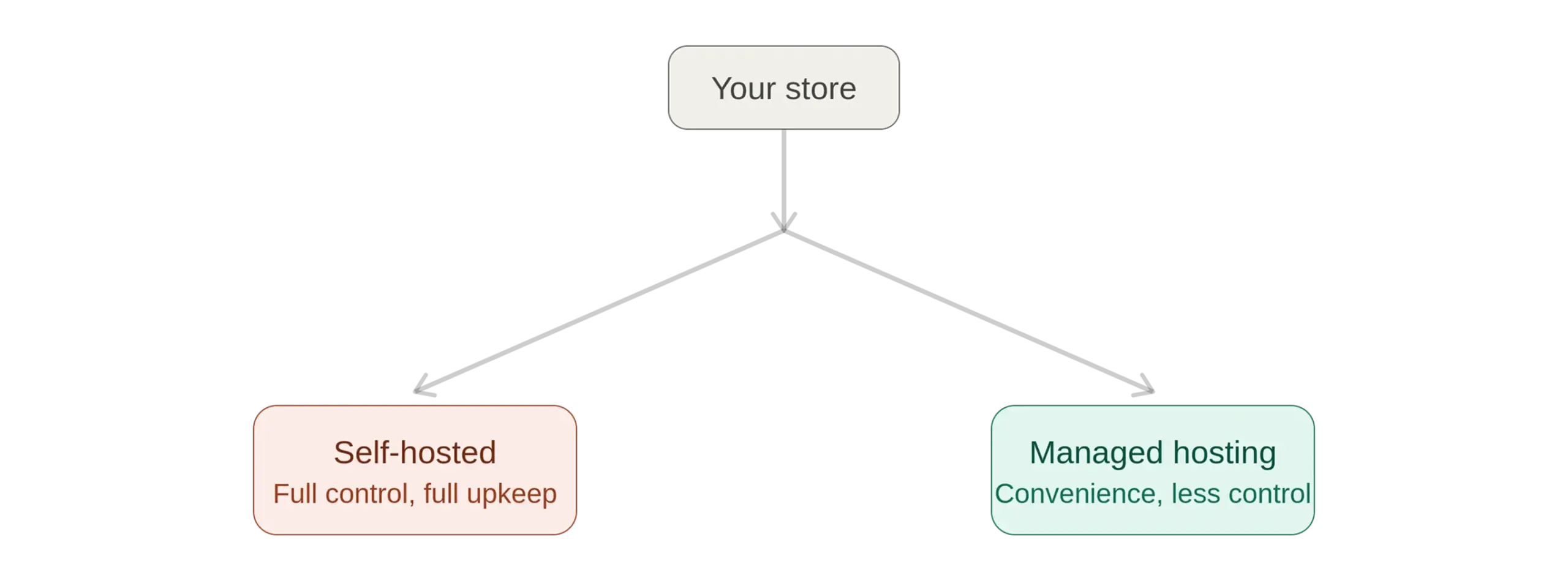
This is where a lot of technical leaders let pride get in the way of pragmatism. Wanting full control is understandable. But if your team lacks dedicated DevOps capacity, unmanaged hosting quietly becomes a second full-time job. Managed hosting, on the other hand, narrows your flexibility somewhat, particularly around custom server-level configurations.
This tradeoff shows up clearly with Shopware’s SaaS cloud offering versus self-hosted or PaaS setups. With SaaS, Shopware handles hosting, updates, and scaling automatically, which is genuinely appealing for lean teams. Even so, SaaS restricts root server access, so custom plugin architectures face real limitations. Self-hosted and PaaS solutions hand you full control over PHP versions and database configuration instead. The cost is more hands-on maintenance, though managed hosting can offset much of that burden.
Be honest about your team’s bandwidth. If your developers are already stretched thin, managed hosting frees them to focus on what differentiates your store. If you have dedicated infrastructure engineers and need deep customization, self-hosted or PaaS options give you room to build exactly what you need.
Security: Where a Single Gap Costs More Than Years of Hosting Fees
Security in e-commerce hosting spans SSL encryption, firewall and DDoS protection, and malware scanning. It also covers regular patching and compliance requirements like PCI DSS and GDPR. Customers never see this layer directly, but they feel the consequences immediately when it fails.
Both Magento and Shopware stores process sensitive payment and customer data, which makes them persistent targets. A breach doesn’t just cost remediation expenses. It costs the trust you’ve spent years building, and in regulated markets, it can bring legal penalties too. Search engines and payment processors increasingly scrutinize security posture as well. Weak protections can quietly throttle both your visibility and your ability to process transactions.
For businesses serving European customers, data residency adds another layer to consider. Hosting providers with data centers in specific jurisdictions, for example within Germany, offer documented data sovereignty, which is exactly what GDPR-conscious customers and regulators expect. This consideration applies well beyond any single region, though. Wherever your customers are, know exactly where their data physically lives.
Insist on providers offering automated daily backups with multiple restore points. Look for proactive malware monitoring, dedicated firewalls, and transparent patch schedules too. Ask specifically how quickly they apply security patches after Magento or Shopware releases them. A provider that lags weeks behind on patching leaves your store exposed on their schedule, not yours.
Scalability: Building for the Traffic Spike You Haven’t Seen Yet
Scalability refers to how easily your hosting environment absorbs growth, whether that’s a sudden traffic surge, an expanding catalog, or entry into new markets, all without a disruptive migration.
This is where many otherwise solid hosting decisions fall apart. Shared hosting plans that perform fine for a modest catalog often can’t absorb a tenfold spike during a seasonal promotion. Cloud hosting architectures, by contrast, distribute load across a network of resources. They scale elastically, which makes them a natural fit for stores anticipating volatile or growing traffic.
Both platforms show this pattern in their premium tiers. Adobe Commerce Cloud offers enterprise-grade scalability for multi-store Magento operations. Shopware’s higher-tier PaaS and managed cluster providers offer comparable elasticity for growing catalogs. Entry-level shared hosting plans on either platform, meanwhile, tend to hit a resource ceiling much sooner than businesses expect.
Don’t size your hosting for today’s traffic alone. Model your busiest realistic day, whether that’s a holiday sale or a viral marketing moment, and confirm your provider can absorb that load without manual intervention. Elastic, cloud-based infrastructure earns its premium price specifically in these moments, even though it looks like overprovisioning on an ordinary Tuesday.
Cost: What You’re Really Paying For, and What You’re Not?
Hosting costs are shaped by server resources, bandwidth, security features, data center location, and support level. On the surface, prices for Magento and Shopware hosting range from roughly €10 to €30 a month for basic shared plans. Dedicated or managed cloud solutions run several hundred euros monthly, with enterprise setups climbing well beyond that.
Why Total Cost of Ownership Beats Sticker Price
Cheap hosting often costs more once you factor in downtime, security incidents, and eventual migration expenses. Every minute of downtime translates directly into missed revenue, and a security failure can cost far more in remediation and reputation damage than years of premium hosting fees combined. Compare total cost of ownership against total cost of ownership, not the sticker price on the invoice.
At the same time, overpaying for capacity you don’t need is its own mistake. A small catalog with modest traffic doesn’t need enterprise cloud infrastructure, and a high-traffic multi-store operation can’t survive on shared hosting either. Matching your spend to your actual growth trajectory is where disciplined CTOs get more value from their budget.
Modeling Your Real Cost
Build a total cost model that includes migration risk and support responsiveness. Factor in the opportunity cost of your team’s time too, not just the monthly invoice. If a provider’s cheapest plan requires your engineers to manually manage backups and scaling, that “savings” is often an illusion. It disappears fast once you account for the hours it consumes.
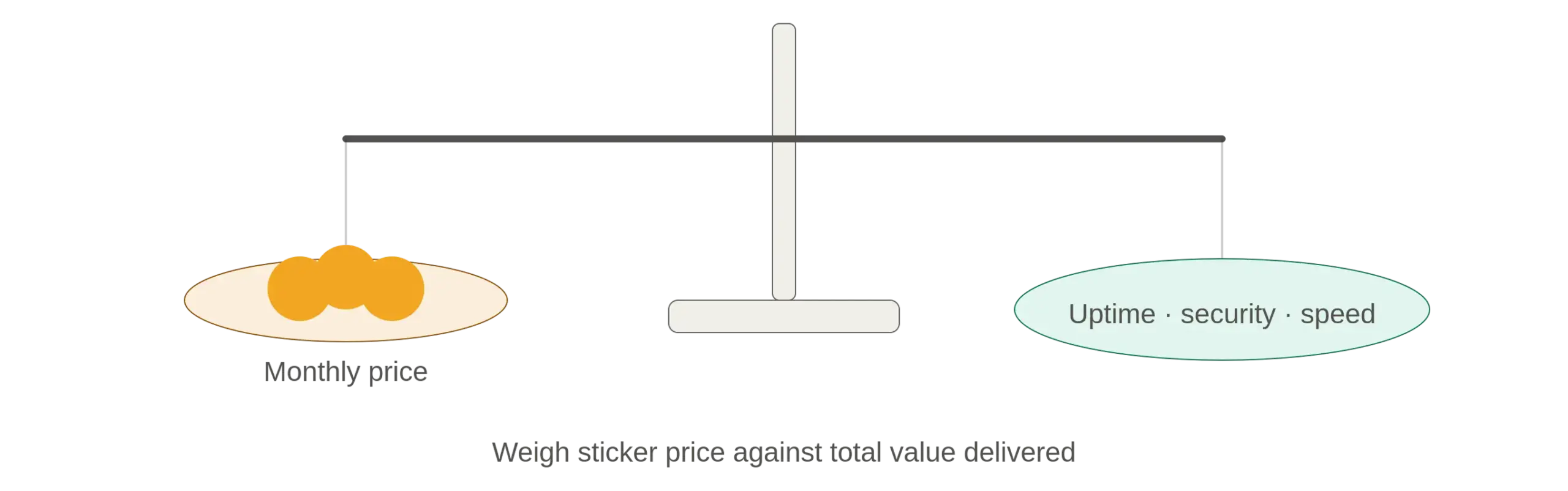
In practice: If a managed plan costs a few hundred dollars more per month than a self-hosted alternative, redirect that difference toward measuring what it actually saves in engineering hours before ruling it out.
Hosting Providers Compared: Magento and Shopware Pricing at a Glance
A direct comparison is more useful here than another paragraph of adjectives. Below is a snapshot of well-known providers in each ecosystem, along with what they’re generally best suited for and roughly what they cost. Treat these as starting points for your own research rather than final quotes, since providers adjust pricing and plan tiers throughout the year.
Magento Hosting Providers
| Provider | Best For | Hosting Type | Starting Price |
|---|---|---|---|
| Nexcess | Fully managed Magento hosting with built-in CDN | Managed | Around $34–$49 per month |
| Cloudways | Flexible cloud scaling for developers and mid-size stores | Cloud | Usage-based, entry plans under $40 per month |
| ScalaHosting | Affordable managed VPS with strong security tooling | Managed VPS | Around $13–$54 per month |
| A2 Hosting | Raw performance with NVMe storage and AMD EPYC servers | Managed VPS | Custom Turbo plans, budget-friendly on longer terms |
| InMotion Hosting | Budget-friendly entry point with room to scale | VPS / Shared | Around $2–$5 per month on promotional terms |
| FastComet | Transparent shared hosting with clear resource limits | Shared | Entry plans under $20 per month |
| Adobe Commerce Cloud | Enterprise-grade, multi-store Magento operations | Enterprise Cloud | Custom enterprise pricing |
Shopware 6 Hosting Providers
| Provider | Best For | Hosting Type | Starting Price |
|---|---|---|---|
| Timme Hosting | Nginx-based performance with German data centers | Managed Shop Hosting | Roughly €19–€39 per month net for production-ready plans |
| maxcluster | Shopware’s official recommended hosting partner for enterprise clusters | Managed Cluster | Custom quote, no published pricing |
| Profihost | Balanced managed cloud with FlexServer scaling | Managed Cloud | Custom quote based on resources |
| Shopware Cloud (SaaS) | Zero-maintenance, fully managed SaaS storefront | SaaS | Around €600 per month and up for entry tiers |
| Self-hosted / PaaS setups | Full server control for teams needing customization | Self-Hosted / PaaS | Roughly €200–€500 per month plus maintenance |
A few patterns stand out once you line these up side by side. Magento’s budget-friendly VPS and shared plans can get a small catalog running for well under $50 a month, whereas enterprise multi-store setups on Adobe Commerce Cloud require a custom quote that reflects far greater scale. Shopware’s SaaS tiers trade a higher fixed monthly cost for zero server management, while self-hosted and PaaS routes cost less on paper but shift real maintenance work onto your team. Specialized German hosts like Timme and maxcluster sit in between, layering managed convenience on top of infrastructure you still substantially control.
These numbers shouldn’t be the only thing driving your decision, but they at least give you a realistic starting range, so you’re not comparing a $15 shared plan against a $600 enterprise SaaS tier and wondering why the feature sets look so different.
How Magento and Shopware Hosting Needs Actually Differ
The two platforms share a similar hosting philosophy: both reward specialized, e-commerce-aware infrastructure over generic shared hosting. Their technical requirements diverge in specific ways, though. Magento’s architecture leans heavily on its own indexing and caching subsystems, along with tools like Elasticsearch and Redis. It typically wants generous RAM even for modest catalogs. Shopware, meanwhile, has a hard technical floor: PHP 8.2 or higher, current MySQL or MariaDB versions, and Redis 7.0 or newer for future search flexibility.
Both platforms reward hosting environments with room to grow, whether that means multi-store scalability for Magento or extra background worker capacity for Shopware’s queue processing. The underlying lesson is the same either way: choose infrastructure with headroom, not infrastructure that exactly matches today’s requirements.
Where Hyvä Changes the Hosting Math
Everything said so far about Magento’s resource appetite assumes a traditional Luma or Blank-based theme. If your storefront runs on Hyvä instead, the hosting math looks meaningfully different, and it’s worth understanding before you size a server around old assumptions.
Hyvä strips out Magento’s default frontend stack entirely. There’s no Knockout.js, no RequireJS, no legacy JavaScript bundling process running on every page load. In its place, Hyvä uses Tailwind CSS and a small footprint of Alpine.js. The practical result is fewer server-side requests per page, less PHP execution time spent rendering frontend components, and a lighter load on the same caching layers discussed above.
This doesn’t change the backend. Your catalog logic, your indexing, your admin operations, and your database load stay exactly what they were. Hyvä affects the frontend rendering path specifically, which is also where most of a typical Magento store’s response time gets spent. So the improvement shows up where it matters most for a shopper waiting on a page to load.
For hosting decisions, this means two things in practice:
- You may not need the tier you think you need. A catalog that would strain a mid-tier VPS on a Luma theme can often run comfortably on the same hardware with Hyvä, since less CPU time goes into rendering the frontend on every request.
- The savings compound during traffic spikes. Lower per-request overhead means your existing infrastructure absorbs more concurrent shoppers before it needs to scale, which matters most on exactly the days this guide has been talking about.
None of this replaces the fundamentals covered above. You still need proper caching, adequate database resources, and a host that understands e-commerce workloads. But if you’re scoping hosting for a new Magento build, or reviewing hosting for a store that hasn’t moved to Hyvä yet, this is one of the highest-leverage architecture decisions available before you even talk to a provider.
Questions to Ask Any Hosting Provider Before You Sign
Sales pages tend to blur together after the third one. A short, direct list of questions gets you further in an actual vendor call than another round of feature comparison. Ask these on your next call:
- What’s your caching stack, specifically? Ask for the exact combination — Varnish, Redis, OPcache, Elasticsearch/OpenSearch — and whether it’s pre-configured or something you’ll need to set up yourself.
- How fast do you apply security patches after a platform release? Push for an actual number of days rather than a general assurance, since that detail matters more than most providers volunteer.
- Where does customer data physically live, and can you confirm it in writing? Important for GDPR and any regional compliance obligation, not just a nice-to-have.
- What happens automatically during a traffic spike, versus what requires a support ticket? This is the difference between elastic scaling and a call you make at 2am on Black Friday.
- How many restore points do your backups keep, and how long does a full restore actually take? Ask them to walk through a real restore, not just describe the backup schedule.
- What’s included in “managed,” exactly? Get a list. “Managed hosting” means very different things across providers, and the gaps show up later, not during the sales call.
Skip the vendor calls
Not sure your current hosting would survive your busiest day?
Send us your current setup and we’ll walk through the checklist above against it ourselves. You’ll know within one call whether your caching stack, patch cadence, and scalability actually hold up, or where they’ll break first.
Get a Hosting ReviewBringing It Together: A Practical Decision Framework
Making this decision well starts with being honest about three things: your team’s operational capacity, your realistic traffic ceiling, and your tolerance for risk. Get those straight first, and the right path usually becomes obvious.
- Lean, resource-constrained teams generally benefit most from managed hosting, even at a premium. It converts an ongoing operational burden into a predictable monthly cost.
- Teams with dedicated infrastructure expertise are better served by self-hosted or PaaS environments, where full control justifies the added maintenance work.
- Any store handling meaningful transaction volume should treat security features as a baseline requirement, not a nice-to-have upgrade.
- Scalability should be evaluated against your busiest realistic day, not your average one. That’s the moment hosting decisions actually get tested.
The providers and plans will keep changing year over year. The underlying questions won’t. Does this environment keep my store fast under real load? Does it protect customer data the way my compliance obligations demand? And does it cost me less, in total, than the alternative?
Final Thoughts
Hosting rarely gets the spotlight in e-commerce strategy conversations. Yet it quietly determines whether every other investment you make actually pays off. A beautifully merchandised Magento or Shopware store built on unreliable infrastructure is still a store that loses sales the moment traffic gets interesting.
The good news is that the fundamentals haven’t changed even as the platforms have matured. Prioritize speed as a baseline rather than a differentiator. Treat security as non-negotiable. Size for the traffic spike you haven’t seen yet. Weigh cost in terms of total ownership rather than a monthly invoice. Get those four things right, and your hosting stops being a risk you manage. It starts being an asset you can build on.
The question worth asking your team this quarter isn’t whether your current hosting works on an average day. It’s whether it would survive your best one.
Want more tips? Check out: shopware6 vs magento2 which is better and why
Frequently Asked Questions
How much does Magento or Shopware hosting cost per month?
Is managed hosting worth it for a small e-commerce store?
What are the minimum server requirements for Shopware 6?
Does Shopware's SaaS offering support custom plugins?
How much RAM does Magento need for a mid-size catalog?

Sajid has four years of experience building e-commerce-focused websites, primarily using PHP, WordPress, Magento, Shopify, and Shopware 6. He's comfortable with JavaScript, jQuery, CSS, and SCSS, using them to bring designs to life and fine-tune the details that make a site feel right. His focus is building websites that are fast, dependable, and genuinely easy for people to use.